

Software built for school photographers
Shoot, cull, edit, deliver. One piece of software, from the session to named files.
Your photos stay on your computer and come out named the way you want. What you keep
Capture, tethered and automatic
Focus on your session, with software that follows your every move.
Available on Mac and Windows
No extra software*
Find out more
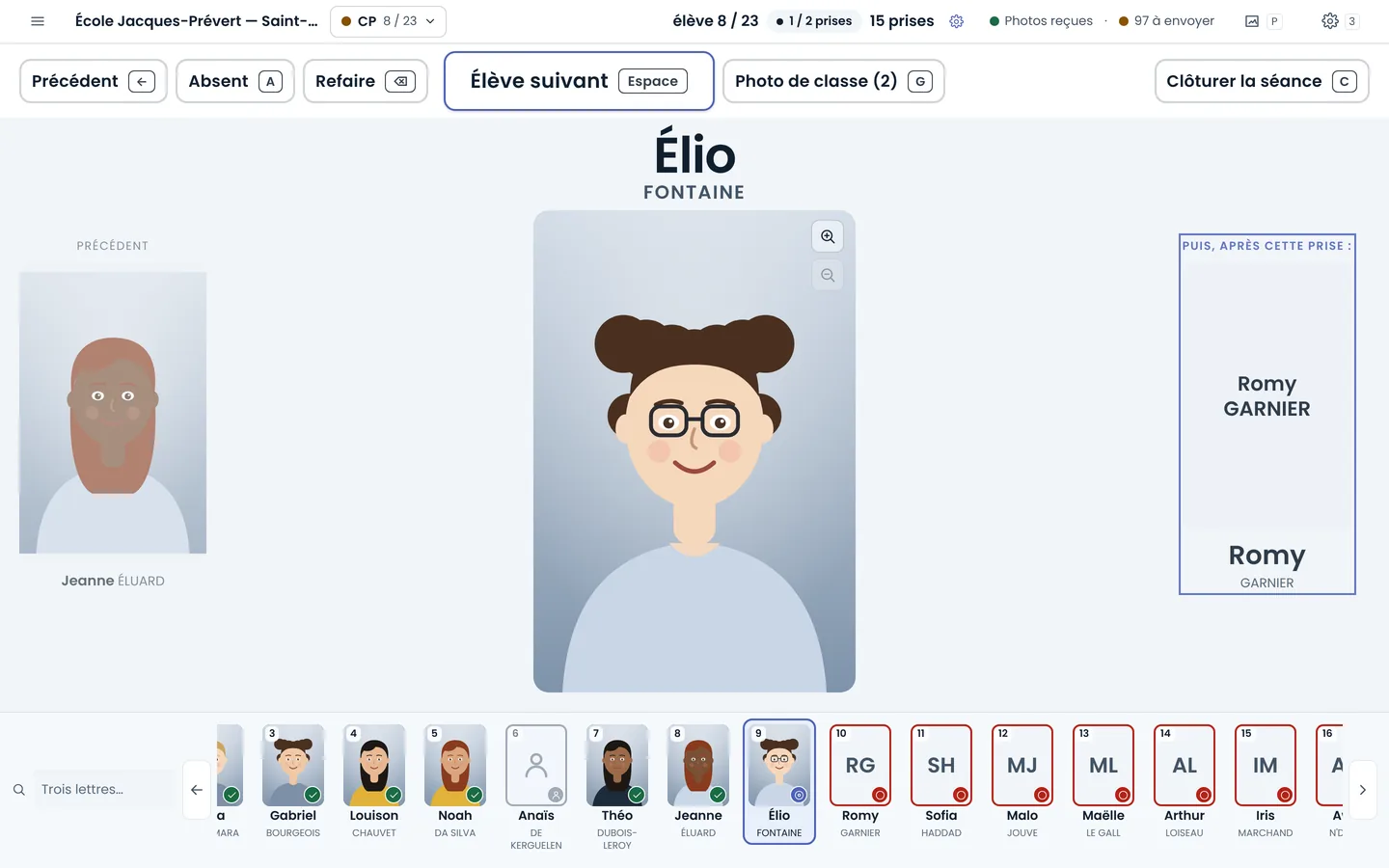
On picture day, you keep your eyes on the children: each portrait joins the record of the student called, the class is photographed in roster order, and an absent student is caught up later without shifting anything. The school photography software runs on Mac and Windows, even without a network in the gym.
* Nikon (Z series) and Canon cameras connected by USB: the software controls them directly, with no NX Tether or EOS Utility. Nikon: on Mac today; the Windows version is not ready yet. Canon: on Windows and on Mac, except under macOS 13; supported, but not yet tried on a real camera. Other brands go through the maker's own software, whose folder our software watches.
Match your class photos
Import your group photos in bulk: our AI sorts them into their classes, and you approve.
Find out more
At the end of a session, dozens of group photos are waiting for their class. You import them all at once, each one is suggested in its class, and nothing is filed until you approve it. The class name, the school year and the school can then be added to the photo.

Cull with AI
Cull your first schools: the AI learns your taste and culls the rest. You only review its doubts.
Find out more
Two or three shots per student, hundreds of students per school: culling school photos is the longest job of the season. Here, the best shots are kept for you, your own choices always win, and the edit — light, crop, straightening — is set once for the whole series, in the software or online.
Edit one photo: the whole series follows.

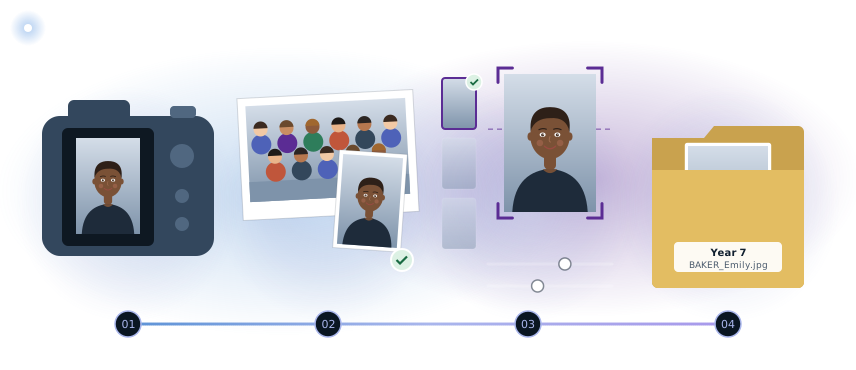
One photo, from shoot to delivery
The same photo goes through the whole season in one tool: it is never exported from one program to be imported into another, and nothing is typed twice.
- 01
Taken in the morning
You shoot with your own camera, as usual.
- 02
Classes matched
Class photos join their class; you approve.
- 03
Culled, edited
The best shot is kept, then adjusted like the rest of the series.
- 04
Delivered
It comes out named, ready for the school.
Without switching between programs.
You keep your habits
Your files stay yours
Your photos stay on your computer, organized by school and by class; exports come out named the way you want.
What we promise you.
- Data handled with care Only the data that is needed is asked for, and every named export is logged.
- Hosted in France Your students' details and your photos stay on servers in France.
- Designed in France Designed and run by PIXIEL, in Vendée, France.
Shooting is never blocked
Even if your subscription has lapsed, the session goes ahead, and everything picks up again when you renew.