

From the shoot to delivered files
Three parts, one chain: your camera, the software on your computer and your online space.
Three parts, one chain
-
Your camera
Tethered capture, whatever your camera brand.
-
The software, on your computer
The session, culling, editing, exports — even offline.
-
Your online space
Your projects synchronized, and culling online.
One photo, from shoot to delivery
- 01
Capture, tethered and automatic
Focus on your session, with software that follows your every move.
See how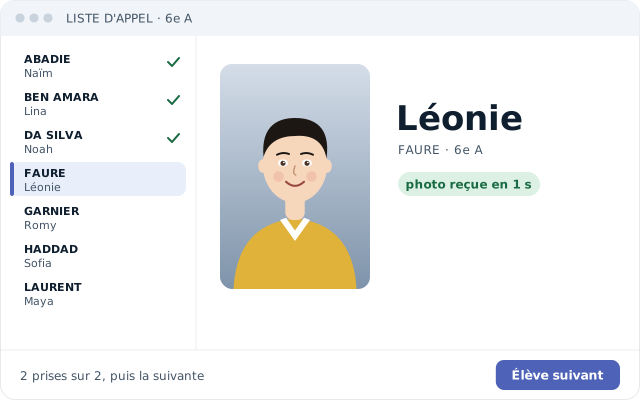
- 02
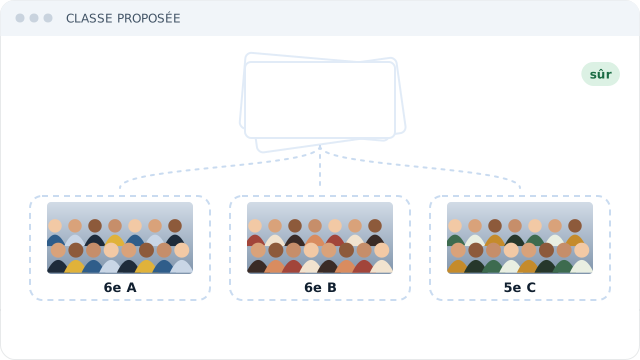
Match your class photos
Import your group photos in bulk: our AI sorts them into their classes, and you approve.
- 03
Cull with AI
Cull your first schools: the AI learns your taste and culls the rest. You only review its doubts.
Edit one photo: the whole series follows.
See how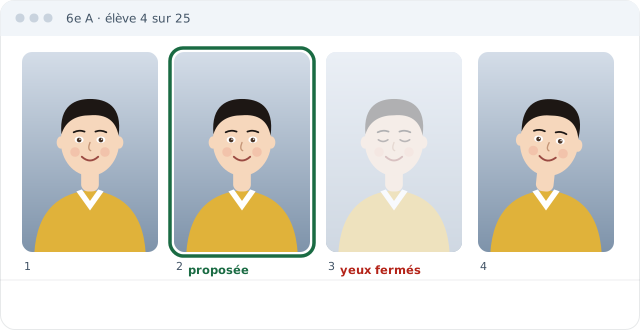


Without switching between programs.
Your questions
Is my camera compatible?
Yes: tethered capture for every brand of digital camera.
Do I need a network during the session?
No. Everything happens on your computer; syncing waits for the network.
Which computers?
Mac and Windows.
Does the software recognize faces?
No, never. The software does not know who is in the photo.
How much does the software cost?
It opens as a free beta, by application: its price is not set yet, and it will be shown in euros.
Where are my photos?
On your computer, organized by school and by class.
What can I deliver to the school?
Files renamed after each student, an export for the school and a contact sheet.
What is photographescolaire.com?
Software for school photographers: shooting, culling, editing and class photos, on Mac and Windows.
Does the software sort class photos?
Yes: our AI sorts them into their classes, and you approve.
Does the software cull and edit photos on its own?
It suggests: the AI keeps the best shots when it is sure, and one edit applies to the whole series.
Where is the data hosted?
In France: your students' details and your photos stay on servers in France.
What are the system requirements?
A Mac running macOS 10.15 or later, or a 64-bit Windows PC (Intel or AMD), with room for your photos and a USB port to connect the camera. The details are on the software page.