

Free beta by application — limited places.
Join the betaCulled and retouched, the whole series
Your best shots kept automatically, then adjusted like the whole series. You only review the doubtful ones.

Slide to see the difference
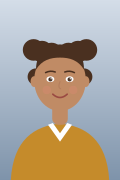
Before: the shot straight out of the camera. After: cropped and lit like the whole series.
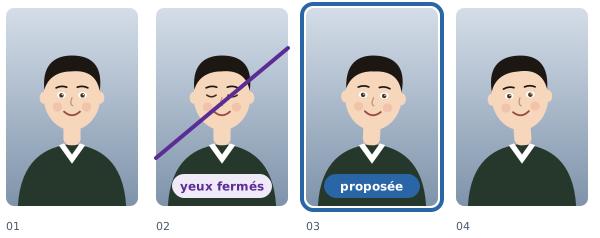
Kept automatically
Up to the number of shots you set, everything is kept automatically: there is nothing to choose. Beyond that, only the extra shots need culling. A box you tick by hand is final, and the software never undoes it.
From the keyboard
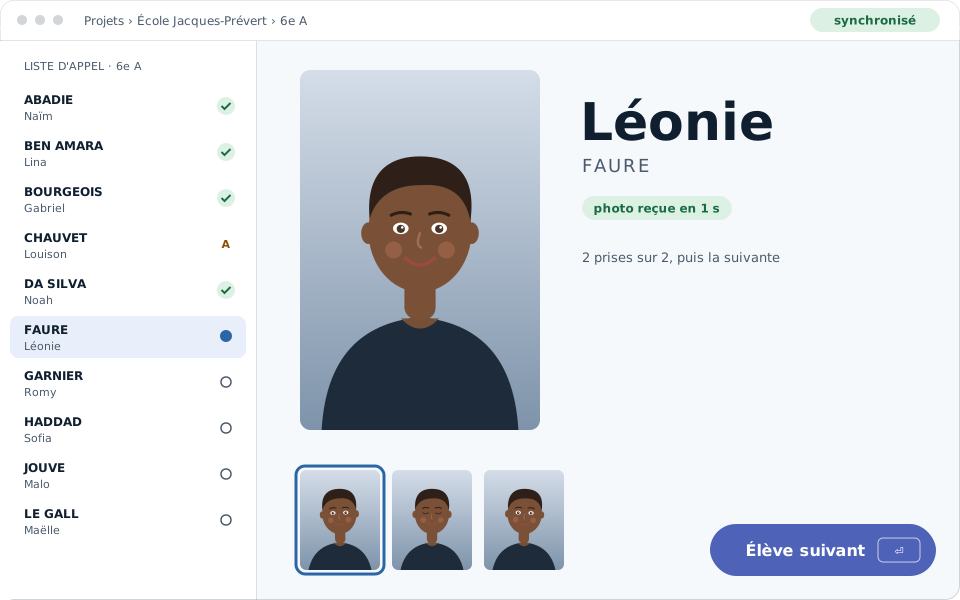
Culling goes student by student without leaving the keyboard: one key keeps, another moves on, another opens retouching. You move fast without losing track of the class.
On your computer or online
Cull on your computer or in your online space: both screens are the same, and a choice made on one side shows up on the other. If two choices cross, the software shows you instead of erasing one.
Hints, never decisions
Closed eyes or a blurry photo are flagged to you; you decide. One click says “this is not a flaw”, and you set the sensitivity of the closed-eyes flag yourself.
Neatly aligned portraits
Portraits are cropped to the face and aligned on the eye line. Thirty portraits side by side, no head higher than another: the class sheet reads at a glance.
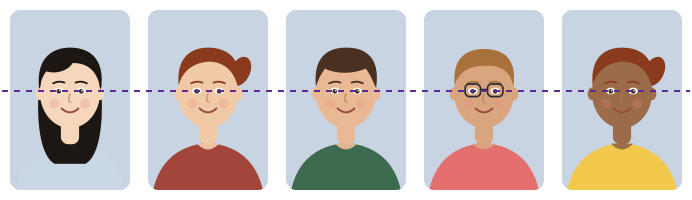
Straightened
A tilted photo is straightened from the eye line, and the result stays cropped to the portrait format. You can also straighten without cropping.
Light suggested
A light adjustment is suggested for each series; one click applies it. It takes your corrections into account for the next series: the more you adjust it, the more it looks like you.
The whole series at once
A setting made on one photo applies to every class in the project, not just the photo you have open. A whole school comes out adjusted like a single series.

Never on the original
Retouching is a recipe: the original stays intact on your disk, and the recipe is applied at export. You go back whenever you like, without losing anything.
- Coming soon
A profile learned from your Lightroom settings
Your usual settings, learned from your own Lightroom retouching, applied automatically to your series.
How many shots should I keep per student?
You set the number of shots per student; culling takes it into account.
Does retouching change my originals?
Never: retouching applies to the delivered files and the prints.
Can I cull online?
Yes: in the software or in your online space, both stay in agreement.
Does automatic culling decide for me?
No: it only keeps automatically what needs no choice, and it flags the doubtful ones. Your choice is always final.
Can I cull without being online?
Yes, on your computer; online culling is the other door, and both stay in agreement.
- Data handled with care. Only the data that is needed is asked for, and every named export is logged.
- Hosted in France. Your students' details and your photos stay on servers in France.
- Designed in France. Designed and run by PIXIEL, in Vendée, France.
How to cull hundreds of school portraits
Two or three shots per student, hundreds of students per school: culling is often the longest job of the season. The software starts from a simple rule. As long as you have not gone past the number of shots you set yourself, everything is kept automatically; only the extra shots remain to be culled.
Culling goes student by student, from the keyboard, on your computer or in your online space: both screens are the same, and your choices follow you from one side to the other. A box you tick by hand is final; the software never undoes it.
A doubtful photo, closed eyes or blur, is flagged to you. It is a hint, never a decision: one click says “this is not a flaw”, and you set the sensitivity of the closed-eyes flag yourself.
Retouching a whole series in one setting
Retouching is set once and applies to the whole series: the light, the temperature, the highlights and shadows, the crop and the straightening. A light adjustment is suggested to you; one click applies it, and the software takes your corrections into account for the next ones.
Portraits are cropped to the face and aligned on the eyes: thirty portraits side by side, no head higher than another. A tilted photo is straightened, with or without cropping.
Retouching is a recipe, not a change to the file: the original stays intact, and you go back whenever you like. The recipe is applied at export.
Find out more
Culling school photos is the longest job of a season. Here, the best shots are kept for you; you only review the doubtful ones, student by student, from the keyboard, in the software or online.
Retouching follows: the suggested light, the consistent crop and the straightening are set once for the whole series, and the original is never modified. Portraits come out aligned, ready to deliver.