

Free beta by application — limited places.
Join the betaThe whole school day, in one piece of software
Available on Mac and Windows
The photo lands on the student, the AI culls, sorts the class photos and edits the series. You approve.
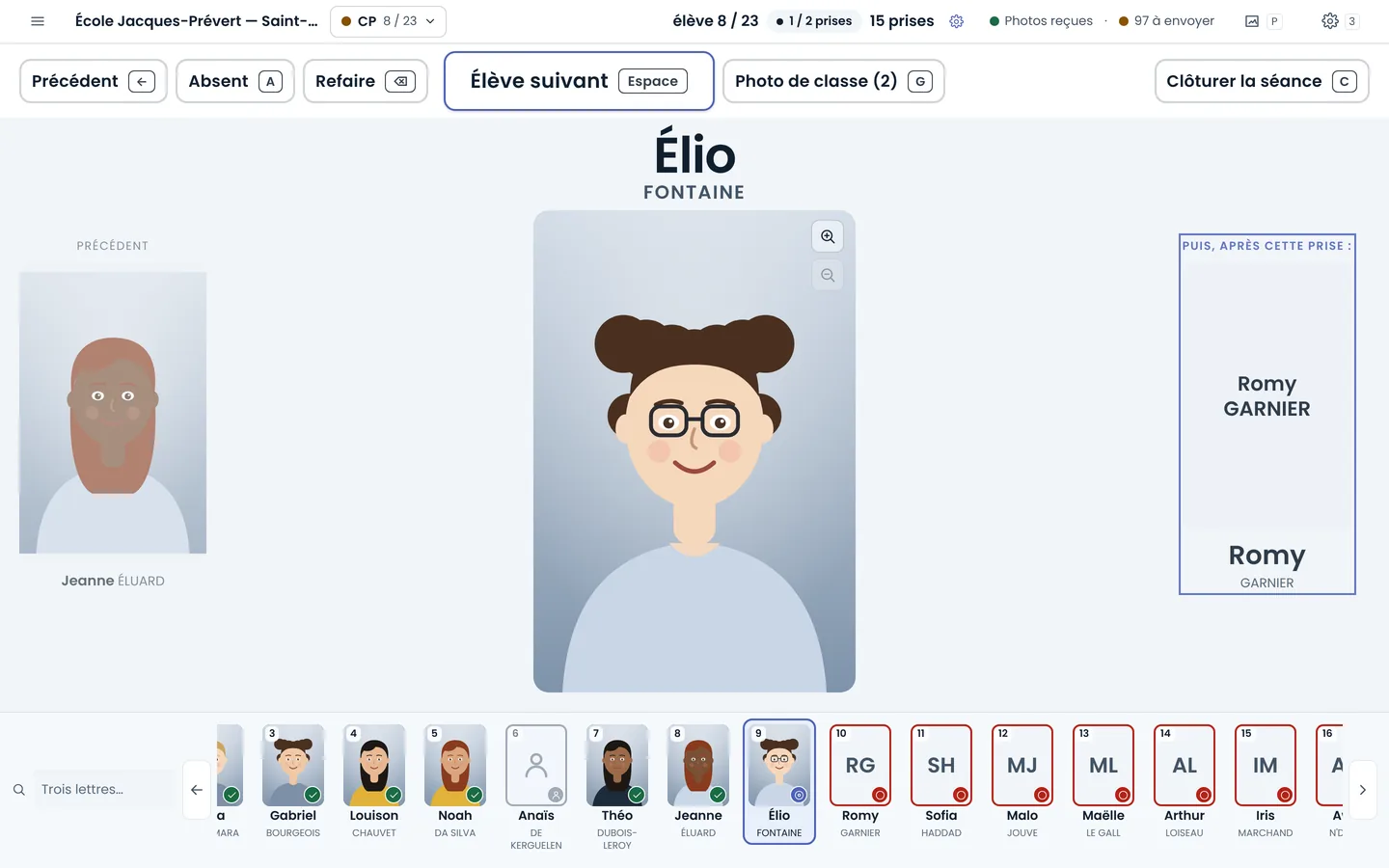
The photo lands on the student
With the camera connected, you shoot as usual: each photo joins the student on screen, and the next one follows without a gesture. In the evening, there is nothing left to match.
Tethered capture
The best shots, kept for you
The software keeps automatically what needs no choice and flags the doubtful ones. You cull from the keyboard, student by student, on your computer or online.
Culling and retouching
The whole series, in one setting
Suggested light, portraits aligned on the eyes, tilted photos straightened: one setting applies to the whole project, and the original stays intact.
See retouching
Yearbook sheets and thumbnails, in an instant
An ultra-fast export: yearbook sheets by class and thumbnails for the whole school come out named the way you want, with no waiting.

Cropped to the head, if you want
As an option, each portrait is cropped to the face, with the eyes at the same height across the series. Without the option, the photo comes out as you framed it.

To your sales platform
Do you sell online with your usual provider? The photos come out named and organized the way it expects them: all that is left is to upload them.

Minimum requirements
What it takes to run the shooting software.
On Mac
- System
- macOS 10.15 (Catalina) or later
- Processor
- Intel or Apple chip: one file for every Mac
On Windows
- System
- 64-bit Windows
- Processor
- Intel or AMD: no version for ARM-based PCs
- Component
- Microsoft Edge WebView2, installed with the software if missing (an internet connection is then needed)
On both
- Disk space
- The application, plus your photos: the software keeps a copy of every shot and warns you when less than 5 GB is left (adjustable)
- Camera
- A USB port, to connect the camera during the session (tethered capture)
- Internet
- Not needed to shoot. It is used to sync your photos with your online space and to receive updates
What never changes
No facial recognition
The software finds where a face is in order to crop, nothing more: it does not know who is in the photo.
The school's list, imported
The file the school sends you is imported as it is: no list to type in again.
Synced, without getting in the way
The session runs on your computer; your photos join your online space when the network is there.
The software in detail
Find out more
School photography software has to last a whole day: hundreds of students, several classes, sometimes without wifi. This one starts from the school's class roster, follows the session student by student, culls, edits, sorts the class photos and prepares the files for the school, without switching tools.
It installs on Mac and Windows and connects to your online space: your photos are there, organized by school and by class.
Frequently asked questions
What software do school photographers use?
Software that follows the whole day: class roster, session, culling, editing, class photos and exports. That is what the shooting software does, on Mac and Windows.
Does the software work without internet?
Yes: the session runs on your computer. Your photos join your online space when the network is back.
Is my camera compatible?
Yes: tethered capture for every brand of digital camera.
Can I deliver files to the school?
Yes: files named for the school and a contact sheet per class.