

Free beta by application — limited places.
Join the betaEach portrait under its student
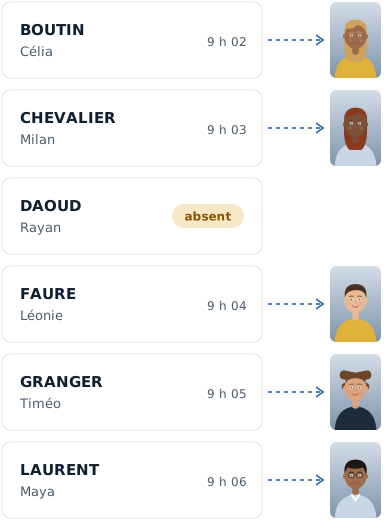
During the session, the photo lands on the student on screen. Afterwards, the software files each portrait under its student; you check before applying.
How it works
Your class roster
Students come through in roster order; absent students are marked with one key.
Each portrait under its student
Photos are shared out student by student, automatically.
The preview before applying
You see the result and correct it by drag and drop. Nothing is overwritten without you.
- Data handled with care. Only the data that is needed is asked for, and every named export is logged.
- Hosted in France. Your students' details and your photos stay on servers in France.
- Designed in France. Designed and run by PIXIEL, in Vendée, France.
Frequently asked questions
What about a student who comes out of turn?
Select them, take the photo, then resume the sequence: the software goes back to where you were.
And an absent student?
They are marked absent and photographed later, without shifting anything.
Can I correct a match?
Yes: drag the photo onto the right student, or swap two photos.
Find out more
Matching each photo to its student is the job nobody wants to do in the evening. During the session, the photo lands on the student on screen; afterwards, each portrait is filed under its student, and you check before applying.